Installer
git clone https://github.com/Jacob-Stokes/obsidian-server-stack.git
cd obsidian-server-stack
./install.sh
Requires Linux with Docker (Compose v2), openssl and curl, plus ssh-keygen for git sync. Run as root or with sudo.
The installer generates secrets, starts the core containers, adds a first vault, and offers to put an obsidian-stack command on the PATH for managing the install afterwards. Once finished, the MCP endpoint is at http://localhost:7002/mcp, with its bearer token in .env.
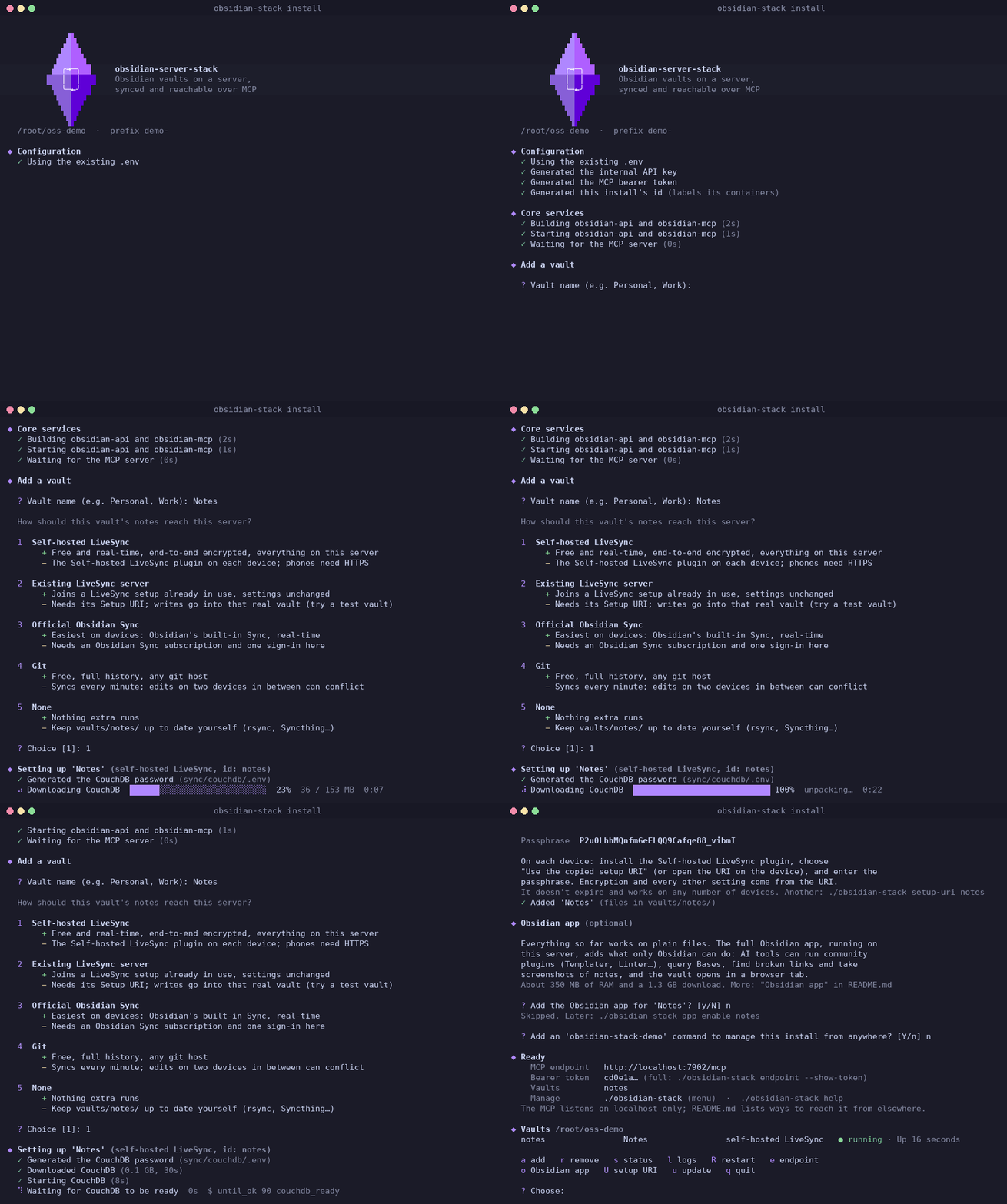
A full install with one self-hosted LiveSync vault, sped up.
It's light: a test install with three vaults (two on self-hosted LiveSync, one on Official Sync) idles at about 230 MB of RAM and next to no CPU. Measured per part:
| Part | RAM (idle) | Disk |
|---|---|---|
| API + MCP | ~50 MB | ~0.6 GB of images |
| CouchDB, shared by self-hosted LiveSync vaults | ~75 MB | ~0.5 GB, plus the databases |
| Each self-hosted or existing LiveSync vault | 25–60 MB | ~0.4 GB image, shared |
| Each Official Sync vault | ~25 MB | ~0.3 GB image, shared |
| Obsidian app, optional, per vault | 325–400 MB, more with many plugins or the browser tab open | ~5 GB image (1.3 GB download), shared, plus ~0.4 GB per vault |
Running a second instance
Multiple vaults and multiple sync accounts fit in one install. A second, separate install is for vaults that need their own MCP endpoint and token, for example one set for one person or agent and another set for another, since a token sees every vault in its install. It's also a way to try a new version alongside a working one.
Give the second install its own prefix and port before running ./install.sh:
cp .env.example .env
sed -i 's/^INSTANCE_PREFIX=.*/INSTANCE_PREFIX=test-/; s/^MCP_PORT=.*/MCP_PORT=7102/' .env
Its containers and networks get the prefix, and its command is named after it, e.g. obsidian-stack-test. If both use self-hosted LiveSync, the second also needs a different COUCHDB_PORT in sync/couchdb/.env.
Updating and uninstalling
To update, run obsidian-stack update. The .env, vaults and sync settings are preserved, and every vault's sync is restarted on the new version. Installs from before the single compose project are moved over on their first update: the old per-vault containers are replaced, and LiveSync's and CouchDB's data is copied out of their Docker volumes into state/, with nothing synced again.
To remove one vault, run obsidian-stack remove <id>. Its notes stay in vaults/<id>/ and its settings in state/<id>/ until deleted by hand.
To uninstall, run obsidian-stack uninstall. It takes down the compose project and removes its built images and the obsidian-stack command, then asks separately whether to delete the CouchDB databases (state/couchdb/) and the notes, settings and .env. Both are kept unless chosen; devices keep their own copies either way. obsidian-stack uninstall --yes skips the prompts and keeps everything on disk.