Obsidian Server Stack
An Obsidian vault on a server, synced across devices and reachable over MCP.
Most Obsidian MCP servers run on a personal computer, and many also need the Obsidian app open, so the vault is unreachable whenever that machine is off. This stack keeps copies of one or more vaults on an always-on server instead, each synced with other devices in its own way and all reachable by any MCP client over HTTP. It runs headless: no Obsidian app or virtual machine, just a few small containers and the notes as plain markdown files.
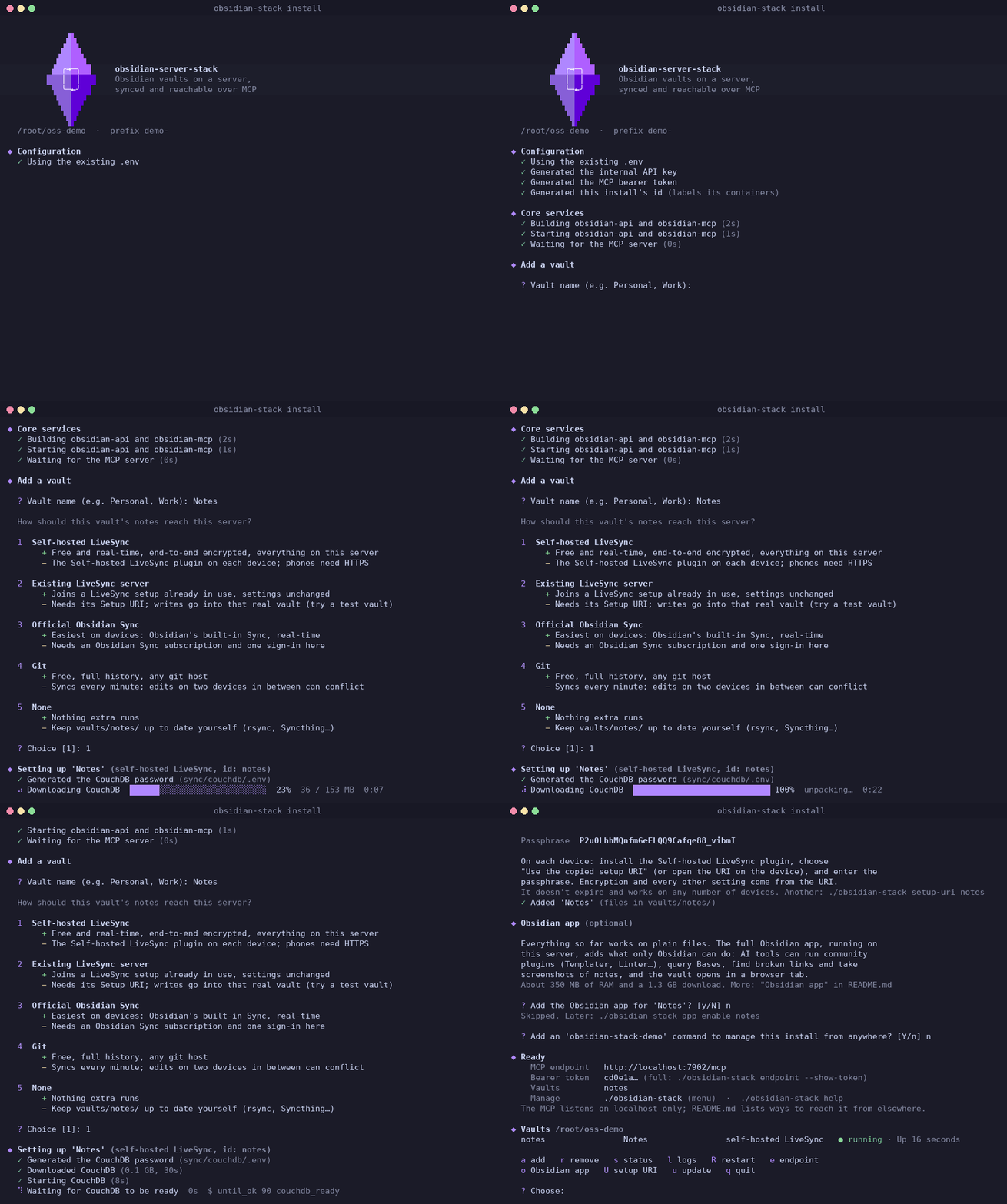
Two ways to run it
Both run the same containers in Docker. They differ in what manages them.
| Installer | Docker Compose | |
|---|---|---|
| Setup | ./install.sh asks a few questions |
A compose file and .env, written by hand |
| Adding vaults | obsidian-stack add, or from an AI tool (manager) |
Editing the compose file |
| Self-hosted LiveSync, Setup URIs | Built in | By hand |
| What runs it | One compose project: the repository's docker-compose.yml plus a vaults.compose.yml written for each change |
The compose file written by hand |
| On disk | The install folder: notes, settings and data, nothing in Docker volumes | The compose file, .env and its volumes |
| Suits | Most setups | Servers where everything is a compose file |
Sync sources
Each vault syncs with other devices in its own way, and one install can mix them:
- Self-hosted LiveSync: CouchDB on the same server, end-to-end encrypted; devices join with a Setup URI. Free.
- An existing LiveSync server, joined with its Setup URI. Free.
- Official Obsidian Sync, with Obsidian's own headless client. Subscription.
- Git, with the obsidian-git plugin on devices. Free.
- None: the folder is managed by hand.
More in How it works.